
Albert: Budgeting and Banking
Albert - Budgeting & BankingFinance
4.438.91K Reviews
- Version
- 10.0.65
- Installs
- 10.00M
- Age Rating
- Everyone
Screenshots
Our Review of Albert: Budgeting and Banking
 Analysis by Appyee
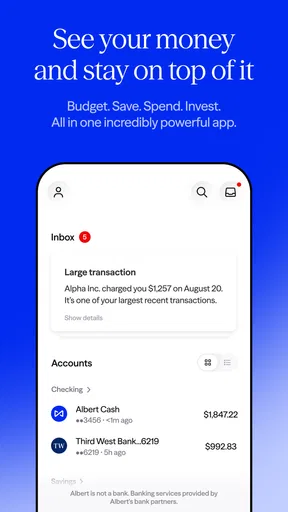
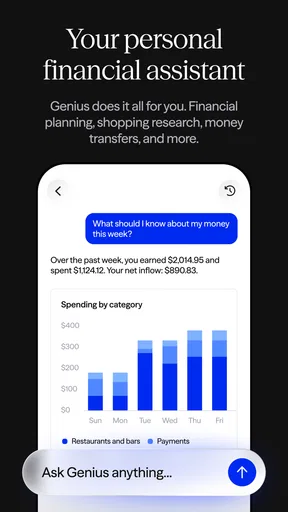
When I try a finance app, I am not looking for another screen full of charts. I want to know whether it can turn a messy month into a sequence of decisions I can actually follow. Albert: Budgeting and Banking takes that approach by bringing budgeting, banking, saving, and investing into one finance app from Albert - Budgeting & Banking. I found its strongest idea in the handoff between those jobs: money comes in, regular spending is identified, savings can be separated from everyday cash, and investing sits nearby when the basics are under control.
That sounds simple, but the useful question is what happens between those stages. A budgeting tool can show where money went without helping me change the next week. A bank app can display a balance without explaining why it keeps falling. Albert tries to connect the two. It is free to install, aimed at Everyone, and available for devices running Android 7.0 or later. Its current version is 10.0.65, and the app has grown to over 10 million installs with a 4.4 average from around 160 thousand ratings. Those figures suggest that the concept has reached a broad audience, although popularity does not remove the need to check whether its workflow matches your habits.
From a crowded month to a clearer starting point
I would begin with Albert when my financial problem is not a single calculation but a lack of visibility. Imagine a familiar situation: my pay arrives, several subscriptions leave at different times, a grocery trip runs higher than expected, and I reach the end of the month wondering why the balance feels smaller than it should. In that situation, opening a separate spreadsheet, a bank app, and an investment app creates more work before I have learned anything.
The app’s appeal is that it puts those concerns in one place. I can approach it as a budgeting companion first, then use the banking, saving, or investing parts only when they make sense. That order matters. I would not treat investing as the answer to an immediate cash-flow problem, and I would not use a savings goal to hide the fact that recurring bills are too large. The combined design is most helpful when I use each area for a different job rather than expecting one feature to fix everything.
On first use, I would pay attention to the information the app needs to make its picture useful and to whether the categories reflect my real life. Automatic organization can save time, but no automated label understands every purchase perfectly. A payment at a large retailer might be household supplies one week and a gift the next. I would review the first group of transactions instead of assuming the initial picture is final.
The best starting habit is to treat the first review as setup, not as a verdict. If a category looks wrong, correcting it early makes later budgeting more meaningful. If a recurring charge is unfamiliar, I would investigate it before building a savings target around an inflated balance. This is a small workflow choice, but it separates a useful financial overview from a decorative dashboard.
What I would decide before connecting everything
I would first define the outcome I want. “Spend less” is too vague to guide the app or me. A better starting point is “keep enough available for bills,” “build a buffer for an irregular expense,” or “see how much discretionary money remains after essentials.” Each goal changes how I interpret the same transaction list.
I would also decide which money should remain flexible. Savings are useful only if I do not move cash away that I will need shortly. Likewise, an investment area should be considered separately from money needed for rent, food, or a near-term bill. Albert makes these subjects feel close together, which is convenient, but that convenience can also encourage a rushed decision if I do not set priorities first.
This is where the app is a better fit for someone who wants guided organization than for someone who already maintains a detailed manual budget. A spreadsheet user may prefer complete control over every formula and category. Albert is more attractive when reducing the number of places I need to check is worth giving up some of that hands-on control.
Following the money step by step
Once the initial picture is in place, I would move through the app in a fixed order: understand incoming money, identify committed spending, separate flexible spending, then consider saving or investing. That sequence prevents an attractive goal from distracting me from obligations that arrive first.
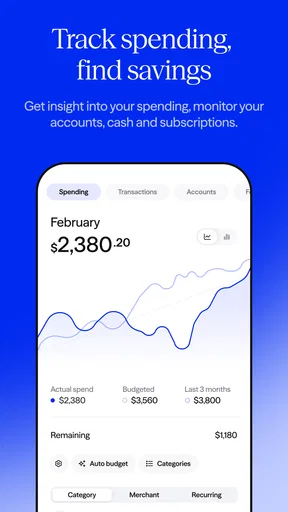
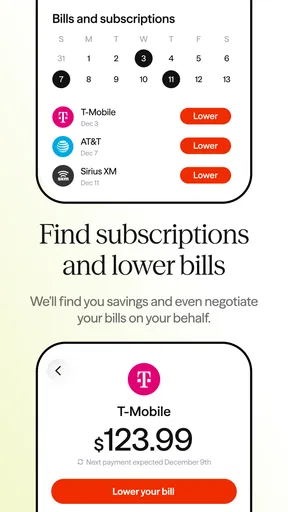
The first pass is about cash flow rather than judgment. I would look at what has already happened and compare it with what I know is coming. A transaction history can reveal patterns that are easy to miss when I only check a bank balance, especially small repeated charges. I would look for subscriptions, delivery spending, transport, and convenience purchases that individually seem harmless but collectively change the month.
Next, I would distinguish fixed commitments from adjustable choices. A bill that arrives every month is not managed in the same way as an occasional restaurant visit. If both appear in one broad spending total, the number may be accurate but not actionable. The practical question is not merely how much I spent; it is how much I can still change.
For a realistic example, suppose I check Albert after payday and see enough money to feel comfortable. Instead of treating that balance as available spending, I would mentally reserve the known bills first. Then I would examine the remaining amount for groceries, transport, and personal purchases. If a savings goal is important, I would decide on that contribution only after protecting the near-term obligations. The app can support the overview, but I still make the judgment about timing.
That is one of the less obvious trade-offs of an all-in-one finance app: seeing more options can make the next action less obvious. I find the workflow clearer when I use a simple rule—review, reserve, adjust, then save—rather than opening every section at once. The app is capable of being a central place for several money tasks, but it does not eliminate the need for a personal order of operations.
Turning an overview into a weekly decision
Monthly budgets often fail because they are checked only after the money is gone. I would use Albert as a weekly checkpoint. I would ask three questions: what changed since the last check, what must be paid before the next one, and what amount is genuinely free to use? This turns a broad budget into a short decision cycle.
The valuable insight is that a budget is not only a limit. It is also a handoff from information to behavior. If the app shows that one category is rising, I need a concrete response: postpone a purchase, replace a recurring service, or move a planned expense to a more realistic month. Without that response, the app remains a record of choices rather than a tool for changing them.
I would avoid making frequent tiny adjustments just to keep every category looking perfect. That can create the illusion of control while taking attention away from the largest pressures. Instead, I would correct obvious misclassifications and focus on patterns that affect the next decision. This is especially useful for people who become discouraged by overly detailed budgeting systems.
Saving without confusing it with spare cash
The saving side makes more sense to me when it represents a named purpose rather than a vague wish to accumulate money. A short-term reserve, an annual bill, or a planned purchase gives the transfer a reason. When the purpose is clear, I am less likely to move the money back for an impulse purchase.
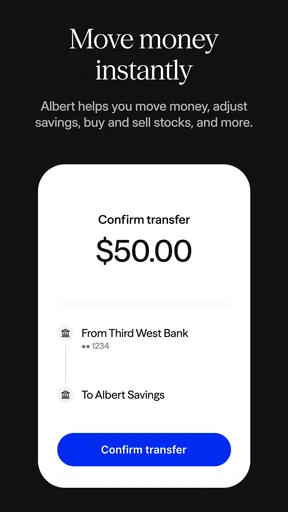
At the same time, I would keep the goal realistic. A savings target that leaves too little for ordinary expenses is not discipline; it is a setup for reversing the decision later. I would start with an amount that survives a normal week, then reconsider it after seeing how actual spending behaves. The app can make saving feel close at hand, but my cash-flow review should decide how ambitious the goal is.
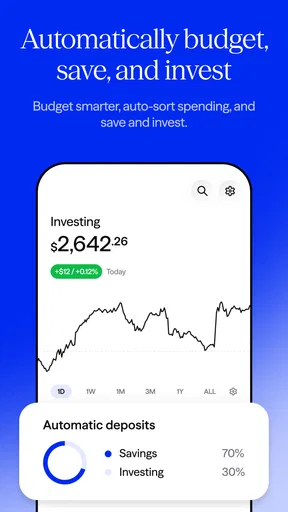
One practical workflow is to use the budgeting view to identify a category that is consistently lower than expected, then redirect only part of that difference toward a goal. This is more sustainable than choosing a large amount based on one unusually cheap month. It also creates a useful connection between observed behavior and a saving action.
Where investing belongs in the sequence
Investing is the part I would approach most cautiously. Having it beside budgeting and saving is convenient for someone who wants a single financial home, but the presence of an investing option should not turn every unspent dollar into investment money. I would first make sure that upcoming commitments and an appropriate cash reserve are covered.
This is also where Albert may not satisfy an experienced investor who wants extensive research, advanced portfolio analysis, or highly specialized trading controls. The app’s value is in connecting investing with everyday money management, not necessarily in replacing a dedicated investment platform for every kind of investor. A beginner may appreciate the simpler path, while an advanced user may prefer a separate service with deeper tools.
I would also separate performance expectations from budgeting expectations. A budget helps me choose what I can afford to do; an investment account involves uncertainty and a longer time horizon. Treating the two as interchangeable is a mistake, even when the same app displays them together.
The handoffs that make the experience useful
The most important handoff is from bank information to a personal plan. A connected balance is only the raw material. I need to translate it into “reserved,” “flexible,” and “goal-related” money. Albert reduces the need to jump between separate apps, but it cannot know every obligation that exists outside the transactions it can see.
For example, an annual insurance payment or a cash expense may not stand out in a normal monthly view. I would keep a short external note of irregular commitments and compare it with the app’s picture. This is not a criticism unique to Albert; it is a general weakness of relying on transaction history alone. The app becomes more reliable as a planning aid when I add the context that does not appear in ordinary daily spending.
A second handoff is from categorization to correction. If a purchase is placed in the wrong area, the consequence is not merely cosmetic. It can make a category appear overspent and another look artificially healthy. I would review unusual transactions, shared purchases, refunds, and one-off expenses before reacting to a budget signal.
A third handoff is from a goal to a routine. Saving works better when I connect it to a regular review rather than setting it once and forgetting it. I would revisit the goal after a change in income, a new bill, or an unusually expensive month. The point is not to constantly move the target; it is to make sure the target still fits the life it is supposed to support.
There is also a human handoff: if I share financial responsibilities with a partner or family member, a single dashboard does not automatically create shared understanding. I would discuss which expenses belong to which person and which goals are joint. Otherwise, the app may present a neat personal view while the household’s actual commitments remain divided across people.
What the result looks like in everyday use
After a few weekly reviews, the outcome I would want is not a perfect score or a permanently low spending total. It is faster recognition. I should be able to see whether a comfortable balance is truly available, whether a goal can continue, and which spending choice needs attention before it becomes a problem.
In the payday example, the result might be modest but useful: bills are mentally reserved, discretionary money is clearer, and a savings contribution is based on what the month can support rather than on optimism. If a category begins to rise, I notice it while there is still time to respond. That is where an integrated app has an advantage over a bank balance alone.
I also like the possibility of moving from a broad overview to a specific action without opening several unrelated services. The fewer transitions I make, the less likely I am to abandon the review halfway through. However, convenience is valuable only when the information remains understandable. If the app’s presentation makes me feel informed without helping me decide, the workflow has stopped at the dashboard.
The app’s broad adoption—more than 10 million installs and roughly 39 thousand written reviews—makes it easier to see why this format appeals to people who want a central money hub. I would still judge it by my own routine. A large user base can indicate accessibility, but it does not mean every budgeting style will fit the same structure.
Where the workflow breaks down
The first weak point is automation that needs supervision. Categorization and summaries are helpful only when I check exceptions. A finance app can organize visible transactions, but it cannot replace my knowledge of cash purchases, informal loans, upcoming renewals, or expenses that happen too rarely to form an obvious pattern.
The second is the temptation to over-combine tasks. Banking, saving, budgeting, and investing are related, but they have different time horizons and different levels of risk. I would not let the presence of an investing option push me toward a decision that belongs in a long-term plan. Someone who mainly wants a basic checking experience may find the wider financial scope unnecessary.
The third is control. If I enjoy designing custom categories, building detailed forecasts, and adjusting formulas manually, a guided app may feel restrictive compared with a spreadsheet or a specialized budgeting tool. Albert is better for reducing setup and keeping the main picture together than for recreating a fully personal accounting system.
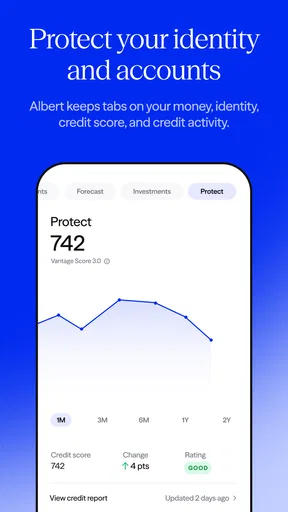
Privacy and account access also deserve practical attention. Before relying on any finance app as my only reference, I would make sure I understand how to review transactions independently and how I would continue budgeting during a connection problem or a change in accounts. I would not let a single dashboard become the only place where I know my financial position.
Another limitation is emotional rather than technical: seeing spending clearly can be uncomfortable. The app may make a pattern obvious, but it cannot make the necessary trade-off painless. If my income is already fully committed, a budget view may confirm that the problem requires a larger change than trimming small purchases. That honesty is useful, but users expecting effortless savings may be disappointed.
Who should use it, and who should look elsewhere
I would recommend Albert to someone who wants one approachable place to review everyday money, create a clearer spending routine, and keep saving or investing close to the budget conversation. It is particularly suitable for people who have outgrown checking a bank balance but do not want to build a complex system from scratch.
I would be more hesitant for a person who needs detailed business accounting, extensive manual customization, or sophisticated investment analysis. In those cases, a dedicated budgeting tool, spreadsheet, bank app, or investment service may do one job better. Using separate tools can be less convenient, but specialization can provide the control that an integrated app intentionally simplifies.
I would also skip it as my primary solution if I am unwilling to review categories and irregular expenses. No finance app can produce a trustworthy plan from unexamined information. The best experience comes from a user who will spend a little time correcting the picture and then act on what it reveals.
My recommendation after using the complete workflow
Albert: Budgeting and Banking works best when I treat it as a bridge between seeing money and deciding what to do next. Its free entry point, Everyone age rating, and support for Android 7.0 or later make it easy to consider, while the 4.4 average from a large rating base shows that many users find the overall approach worthwhile. The developer, Albert - Budgeting & Banking, has built the app around a broad financial routine rather than a single narrow calculator.
My recommendation is positive for readers who want less fragmentation. Start with the cash-flow picture, check the categories, reserve near-term obligations, and only then move toward saving or investing. Use weekly reviews instead of waiting for a monthly surprise, and keep irregular expenses in view even when they do not appear as frequent transactions.
The app does not remove financial judgment, and that is the main point to remember. It can shorten the path from transaction to insight, but the final handoff—from insight to a changed habit—still belongs to me. If I want a friendly central overview and a practical sequence for everyday decisions, I would give it a try. If I need a fully custom accounting system or advanced investing controls, I would choose a more specialized alternative instead.
For its intended audience, the strongest result is not that every part of money management appears on one screen. It is that budgeting can become the starting point for a calmer decision: what must stay available, what can be saved, and what should wait. That makes Albert a useful companion for ordinary financial planning, provided I remain the person directing the workflow.
Verdict
Strengths of Albert: Budgeting and Banking
- Clear spending insights help users understand where their money goes.
- Automatic categorization reduces the effort needed to track expenses.
- Savings tools can support better financial habits over time.
- Bill reminders may help prevent missed payments and late fees.
- The interface is generally approachable for budgeting beginners.
Limitations of Albert: Budgeting and Banking
- Some features may require a paid subscription or specific account plan.
- Bank connection issues can interrupt automatic transaction updates.
- Budget recommendations may not suit irregular or freelance income.
- Personalized financial guidance is not a replacement for professional advice.
- Availability and features can vary depending on location and eligibility.
Similar Picks in This Category
View All
Google Wallet
Google LLC4.3

Airtel: Recharge, Bank & Loans
Airtel4.0

PayPal - Pay, Send, Save
PayPal Mobile4.2

DANA Indonesia Digital Wallet
PT Espay Debit Indonesia Koe4.5

Binance: Buy Bitcoin & Crypto
Binance Inc.4.8

Cash App
Block, Inc.4.7
Frequently Asked Questions
What is Albert: Budgeting and Banking, and what can I use it for?
Albert is a personal finance app designed to combine budgeting tools, spending insights, savings features, and banking services in one place. After connecting eligible accounts, you can review transactions, monitor recurring expenses, set savings goals, and receive suggestions intended to improve your financial habits. The exact features available may depend on your location, account type, and current Albert plan.
Is Albert a real bank, and is my money protected?
Albert provides banking-related services through partner financial institutions rather than operating as a traditional bank in every respect. Depending on the product and partner involved, eligible balances may receive applicable deposit protection, but users should confirm the current terms inside the app before depositing money. Protection, access, and account conditions can vary, so reading the official disclosures is important.
Does Albert charge a subscription or other fees?
Albert offers different features and service levels, and some benefits may require a paid membership or involve additional charges. Before signing up, carefully review the current pricing, optional services, transfer conditions, ATM policies, and any expedited features shown during enrollment. Costs and available plans can change over time, so do not assume every budgeting or banking tool is completely free.
Can Albert automatically save money for me?
Albert includes savings-oriented tools that may analyze your linked income, spending patterns, and available balance to suggest or schedule transfers. Automatic saving can be convenient, but it is not a guarantee that every transfer will suit your circumstances. Review the proposed amount, timing, and account balance regularly, particularly when your income changes or you have upcoming bills.
Is Albert safe to use, and what information does it require?
To provide budgeting and banking features, Albert may request personal details and permission to connect external financial accounts. The app uses security measures intended to protect account information, but no digital service is entirely risk-free. Download it only from an official store, use a strong unique password, enable available security options, and review permissions and privacy terms before connecting sensitive accounts.
